Case study
SOUZU Metronome
A browser metronome designed as a virtual guitar floor pedal, with tactile knobs, stomp switches and a clear tempo display. Its sequencer changes tempo and time signature partway through a song, and it works offline as a progressive web app with no dependencies.
- Role
- Solo project covering design, development and deployment
- Tech stack
Overview
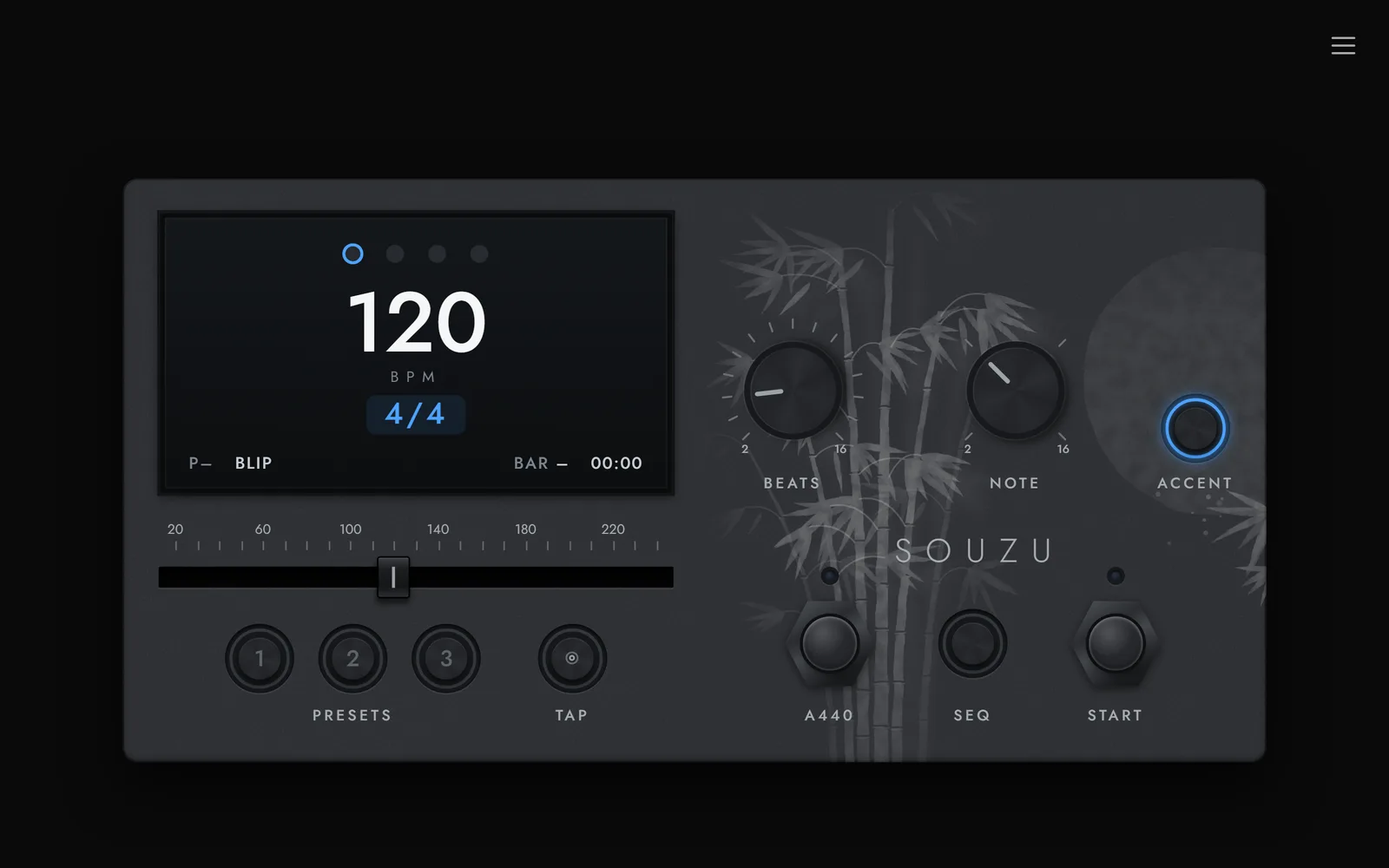
SOUZU is a metronome for musicians, designed to look and feel like a guitar floor pedal. Knobs, a fader and stomp switches replace standard form controls, and the enclosure carries a Japanese print style artwork of bamboo and a rising moon.
Alongside the standard metronome, a sequencer mode plays a series of steps, each with its own tempo, time signature and length, so the click can follow the structure of a song. It runs in any browser, installs on Android and works offline, all from a single page of HTML, CSS and JavaScript with no frameworks or dependencies.
Key highlights
- A pedal interface whose knobs respond to dragging, the scroll wheel and the arrow keys
- Any time signature from 2 to 16 beats, with accents set by tapping individual beats
- A sequencer of up to 16 steps, each with its own tempo, time signature, accents and length in bars
- A NEXT readout that previews the upcoming change and counts down the final beats before it
- Three presets in each mode, saving either a metronome setup or a whole sequence
- An A440 reference tone, a bar counter, a practice timer and nine click sounds generated in code
- Guided tutorials for each mode, a light mode, and full English and Japanese translations
Challenges & decisions
Precise timing
Beats are scheduled slightly ahead on the Web Audio clock rather than fired by JavaScript timers, so they stay exactly in time even when the page is busy. Tempo changes take effect from the next beat without restarting the bar, and every click is synthesised in code from oscillators and filtered noise.
Two modes, one pedal
The sequencer reuses every control from the metronome, so the fader, knobs and presets simply edit the selected step instead. Every light on the pedal switches from blue to green in sequencer mode, making the current mode clear at a glance.
Hardware feel in the browser
Custom knobs respond to dragging around the rim, dragging the centre up or down, the mouse wheel and the arrow keys, so the controls feel physical without giving up keyboard access.
Accessible by design
Controls carry descriptive labels, tempo changes are announced to screen readers, and the click sounds form a keyboard operable radio group. Shortcuts pause while a form control has focus, so they never conflict.
Works anywhere
The pedal scales to fill any window without scrolling, and switches to a vertical layout on a phone held upright. A service worker keeps the app available offline, and optional vibration on each beat, on the phone or a paired watch, helps in a noisy room.
What I learned
- Timing in the browser is a scheduling problem, not a timer problem. Beats are queued ahead on the audio clock, and JavaScript only has to keep that queue topped up.
- Custom controls mean rebuilding accessibility by hand. Each knob needed the keyboard support, labels and announcements that a native input provides for free.
- Reusing every metronome control in the sequencer kept the interface small, but it needed one clear rule for which values a control is editing at any moment.